Showing posts with label sql database recovery. Show all posts

Thursday, September 3, 2009

3403 Error in SQL – Combat Data Loss with SQL Repair Tool

The SQL Server comprises of two fundamental elements; one is the “data files” and the other is the “transaction log files.” It is the transaction log file that records databases’ uncommitted transactions. Sometimes a problem arises when SQL Sever service unexpectedly shuts down to any unpredictable reason. After this accidental shut down, when the user tries to restart the server again, it analyzes all the SQL transaction log files. Now, if the transactions are not committed, then the changes that were performed as a part of those transactions are rolled back. But unfortunately, sometimes, this process of recovery does not successfully ends and thus leaving the database in the corrupted state only. In such situation, the user requires restoration from the last good backup. But, if no such backup is there or is damaged, then the only solution left with the user is to use an SQL database recovery tool for repairing MDF files which is the most apt and wise way for SQL database repair.

The error 3403
During the SQL Server database corruption, the user encounters the below error message:
Error 3403, Severity 22 During recovery initialization, page %ld was encountered. This page belongs to object %ld, not the log

Cause of SQL Server error 3403
When the MS SQL Server crashes, it itself tries to recover without user intervention. When this automatic recovery takes place, there happens a complete scan of transaction logs up till the last page. If a page is found which is allocated to syslogs but the page header object ID does not match with that of syslogs, in that case, error 3403 is displayed and recovery is failed. Recovering SQL server database using an outside solution for SQL database 3403 error fix is the only way out of this problem. Such recovery is not difficult with a highly reliable SQL repair tool by SysTools for restoring SQL server databases from .mdf files.

Reasons for such error display
Failed SQL recovery and display of 3403 error occurs due the following plausible reasons:
• An SQL server problem resulting in a bad write or page allocation
• The user updates the allocation page and SQL Server goes down prior to the writing of the transaction log page. So, on the time of automatic rebuilding of SQL database, it happens without the clearing of the transaction log pages and the old log entries still existing.

Solution for SQL database recovery
This situation can be dealt by checking the backup status. If there is an existence of a clean backup, then one should drop the damaged or corrupted database and should load it from the backup. But, in the case where no backup exists, the user should use professional help from a good SQL recovery application for repairing MDF files.

SysTools software for SQL database recovery
SysTools SQL recovery tool is a reliable SQL database 3403 error fix software that will facilitate SQL database repair quickly, easily without a flaw. So, to combat data loss try SQL repair tool of SysTools and become error free and tension free!

Saturday, August 29, 2009

SQL File Recovery is Possible – Choose the Most Useful Tool

Every kind of organization needs to maintain lots of significant data. To smoothly function, this data needs to be managed appropriately. Proper data management is the very first step towards the organization’s progress. SQL Server helps in such effective data management by helping users query databases and take data information from previously prepared databases. MS SQL is widely used because it is a first-class data management program. It allows operations like add, modify and delete the records. Sometimes, this SQL Server can faces corruption. In the case of such corruption, SQL file recovery is needed.

The user needs to repair corrupt SQL database using a reliable and effective SQL database recovery tool. If you have come across this situation of SQL corruption and think that SQL recovery is almost impossible or it is something that you can never do then break this notion right here. Because with SysTools SQL file recovery software, all your fear and hesitation will curb because it ensures fast, flawless, simple and cost-effective SQL data recovery. This is a useful resurgence option you need and you deserve.

Any product a user chooses for any use, he takes the pain to select the best one possible for him in terms of money as well as performance. Easy and simplicity is also a criteria he look at specially when there is any electronic product. In choosing the best MDF recovery tool also, users will look for all these criteria including low price, good quality, high performance and easy usage. And SysTools MDF file recovery software will be your first and last choice as it fulfills all these criteria.

Friday, August 28, 2009

Result Oriented SQL Recovery Tool to Deal with Grave SQL Data Loss Situations

Every SQL user faces SQL MDF file corruption at some or the other time in his life and then he begins the search for an SQL database recovery software that can act as an anchor in his drowning data ship. When there is an SQL corruption, users can encounter one of these following error messages:
• arrowThe conflict occurred in database ‘db_name’, table 'table_name', column 'column_name'. The statement has been terminated.
• arrowTable Corrupt: Object ID 0, index ID 0, page ID (1:623). PageId in the page header = (0:0).
• arrowInternal error. Buffer provided to read column value is too small. Run DBCC CHECKDB to check for any corruption.
• The process could not execute 'sp_replcmds' on server.
• Internal error. buffer provided to read column value is too small.

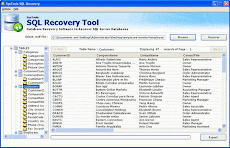
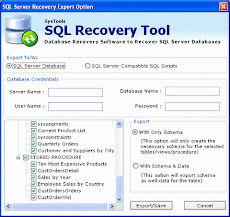
Such situations render MDF files inaccessible and create the grave data loss scenarios which are required to be combated urgently to recapture the proper functioning of any organization. SysTools SQL recovery software is truly a result oriented tool that will not let anyone down. With the non alteration of data feature, this MDF recovery tool gives surety to the users of original MS SQL data recovery. Unlike many non-performing recovery tools mushroomed in every corner of the world, this MDF file recovery tool is result oriented and guarantees 100% positive result. SysTools MDF fix software tool performs a complete scan of the corrupted SQL MDF files and then extract SQL database to get all the data from them. SQL fix software of SysTools helps repair corrupted .mdf files, rules, defaults, stored procedures, tables, views, triggers and user defined data types from corrupt MS SQL Server database. This way it ensures complete SQL file recovery. There is no chance of failure of result with this software tool. Another useful feature of the software is its highly interactive Graphical User Interface which makes SQL data retrieval very easy for any user. Also, you can recover SQL database within minutes using this tool as it is highly quick and fast in execution.